16x Prompt
✓ Editorially verifiedDesktop prompt-composer for AI coding that bundles repo context, diffs, and multi-model comparison.
In short
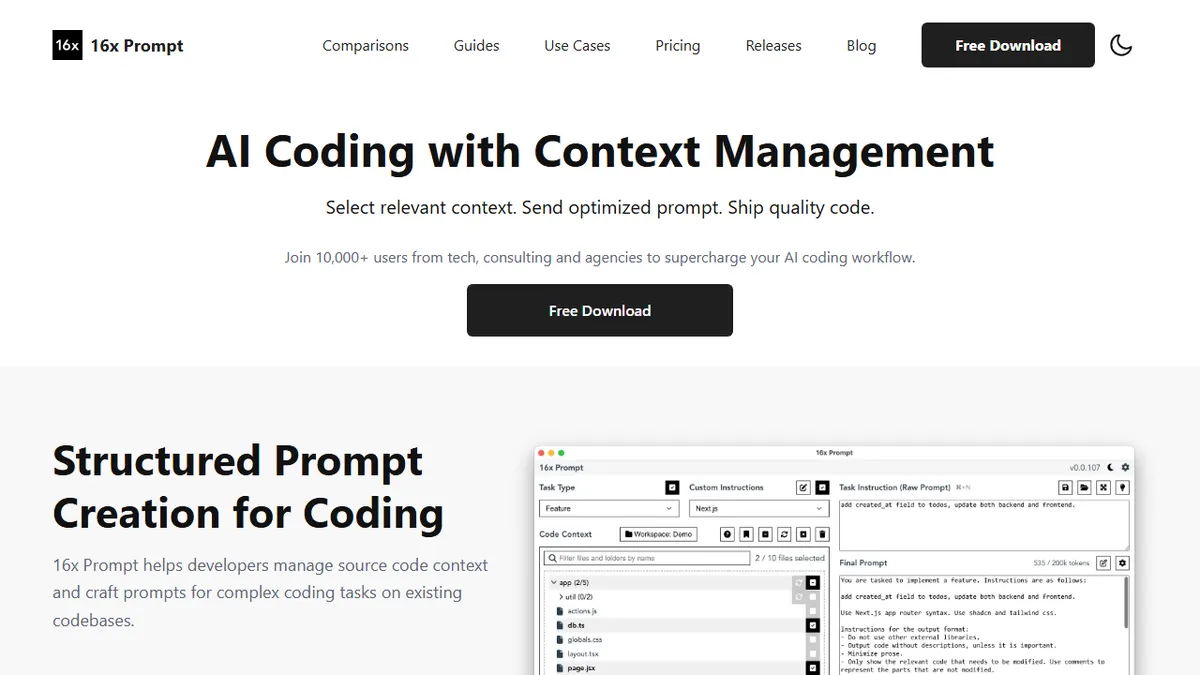
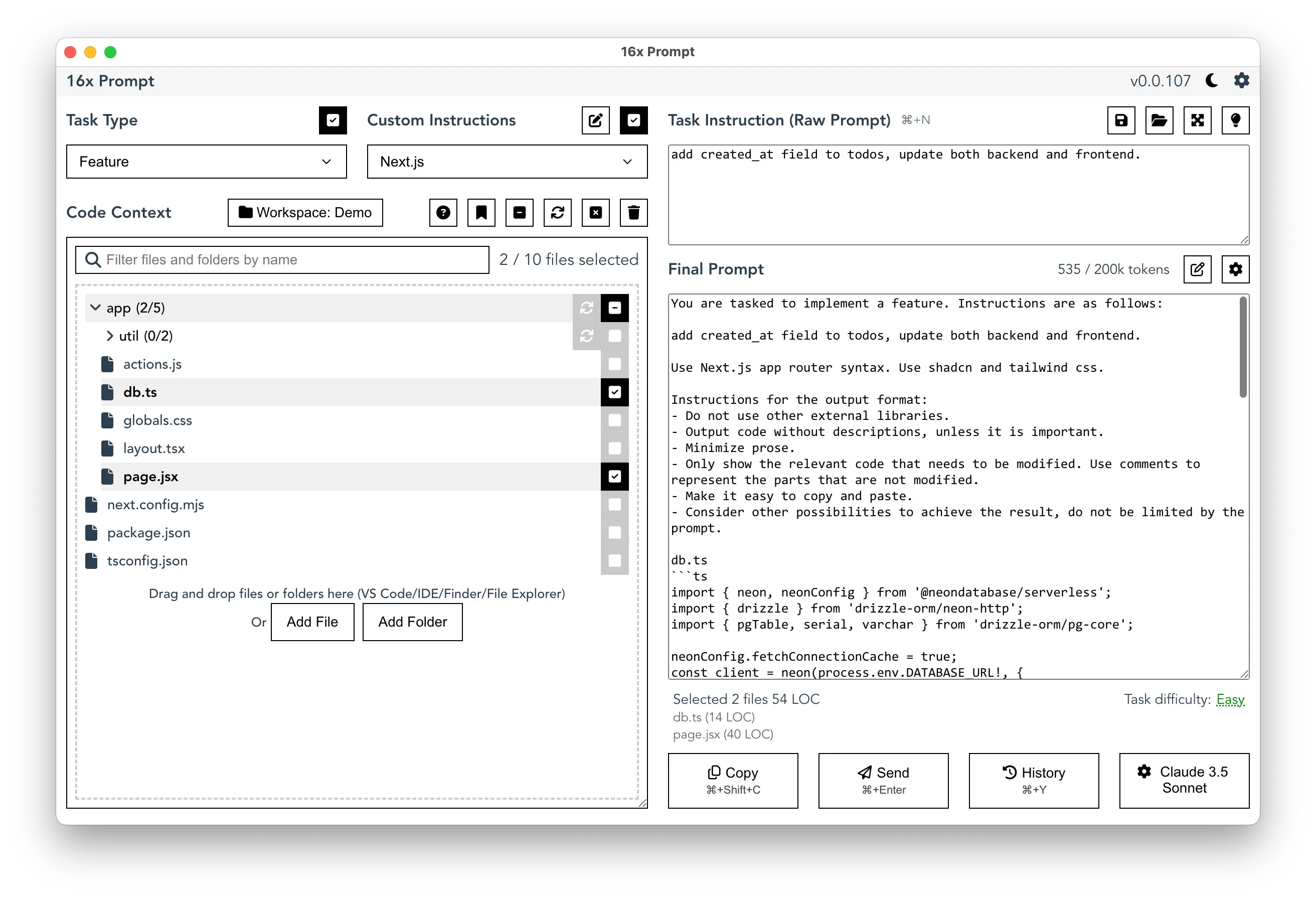
16x Prompt is a Windows and macOS desktop tool that helps developers assemble high-quality coding prompts using selected source files and task instructions. It allows side-by-side comparison of outputs from major LLMs like GPT-4o and Claude while tracking token counts. It is best for developers who want human-in-the-loop control over multi-file context without using an AI IDE.
Pick 16x Prompt if you want hand-curated multi-file context and head-to-head model comparison without committing to a Cursor-style IDE.
Skip it if you want autonomous coding agents, inline IDE completions, or a fully free open-source workflow.
16x Prompt is a Windows/macOS desktop app that sits between your codebase and the major LLMs, helping you assemble high-quality coding prompts from selected source files, task instructions, and reusable formatting rules. It tracks token counts against each model's window, applies AI-generated edits back to disk with visual diffs and automatic backups, and lets you compare outputs from GPT-4o, Claude, Gemini, DeepSeek and compatible providers side-by-side.
It's aimed at developers who don't want to live inside Cursor or Copilot but still want a disciplined way to feed multi-file context to a chat model. You bring your own API keys (or paste into the web UI), everything runs locally with no cloud storage of your code, and the free tier gives 10 prompts a day before you hit a paid license. Individual licenses activate on up to 3 devices; team licenses cover 10. There are no refunds, which is worth knowing before you buy.
Useful if your workflow is "hand-pick the right 8 files, write a careful instruction, then judge which model did it best." Less useful if you want autonomous agent loops or in-editor inline completion — 16x Prompt is deliberately a human-in-the-loop tool.
A pragmatic tool for developers who treat prompts as artifacts worth versioning. The model-comparison angle is genuinely useful when you're not sure whether Claude or GPT will handle a refactor better. The no-refunds policy and per-day free cap are the friction points worth flagging.
— The AI Tool Bible editorial team
Pros
- ✅ Surgical control over which files and instructions go into each prompt
- ✅ Side-by-side comparison across GPT-4o, Claude, Gemini, DeepSeek
- ✅ Runs locally with BYO API key — code never leaves your machine
- ✅ Visual diffs and automatic backups when applying AI edits
- ✅ Token counter prevents silently blowing past model context windows
Cons
- ⚠️ Not open source and no refunds on paid licenses
- ⚠️ Free tier capped at 10 prompts/day
- ⚠️ Not an autonomous agent — you still drive every step
- ⚠️ You pay for the app on top of LLM API costs
Use cases
Frequently asked
- Which AI models does 16x Prompt support?
- The tool supports GPT-4o, Claude, Gemini, DeepSeek, and other compatible providers. Users bring their own API keys to access these models.
- Is 16x Prompt open source and how is it priced?
- 16x Prompt is not open source. It operates on a freemium model with a free tier of 10 prompts per day, while paid individual and team licenses are available for higher usage.
- Does 16x Prompt store my code in the cloud?
- No, the application runs locally on your machine. Your code is not stored in the cloud, and you manage API keys directly within the app or web UI.
- Can 16x Prompt apply code changes automatically?
- It applies AI-generated edits back to disk with visual diffs and automatic backups. However, it is a human-in-the-loop tool, meaning you drive every step rather than using autonomous agents.
- What are the device limits for paid licenses?
- Individual licenses activate on up to 3 devices, while team licenses cover 10 devices. Note that there are no refunds on paid licenses.
Explore related
Compare with similar tools
All in Coding →Cursor
FeaturedAI-first VS Code fork — chat, edit, and agentic coding in one IDE.
GitHub Copilot
FeaturedThe original AI pair programmer, now with chat and agents.
Replit Agent
FeaturedBuild & deploy a full app from a single prompt.
Warp
The agentic development environment, from the terminal up
Cline
Open-source agentic coding assistant that plans, edits, and runs code inside your IDE
Aider
Terminal-based AI pair programmer that writes commits.